Barcode Scanner Buying Guide for Secondhand Shops
By Priya Raman · Published · 3 min read
At a busy consignment counter, every second counts. A slow or unreliable barcode scanner can turn a five-minute checkout into a ten-minute ordeal, frustrating customers and staff alike. But with dozens of models on the market, how do you choose the right one for your shop?
This guide breaks down the scanner types, features, and price ranges that matter most for secondhand and resale retailers. We'll help you match the scanner to your workflow, whether you're scanning tags at intake or ringing up a pile of vintage finds.
Scanner Types: Which Fits Your Counter?
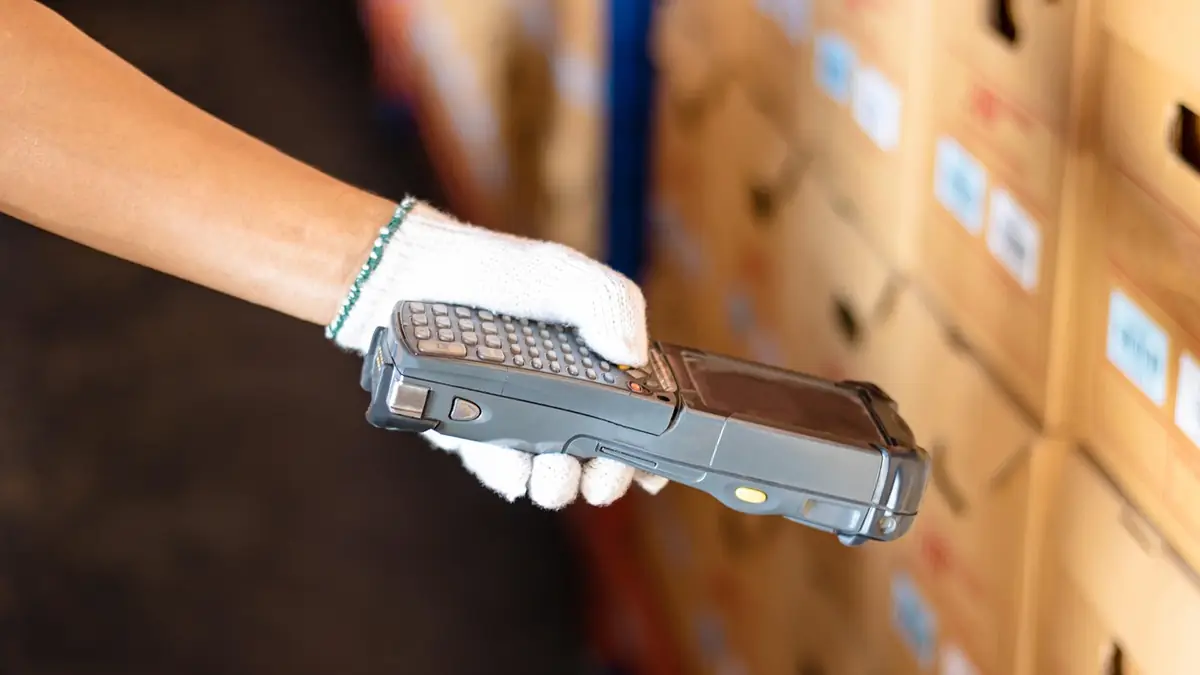
Handheld scanners are the workhorse of most resale shops. They're versatile, allowing staff to scan items on the counter or in a basket. Wired models are cheaper and never need charging, but the cable can get in the way. Wireless handhelds offer freedom but require battery management and cost $50–$150 more.
Presentation scanners sit on the counter and scan automatically when an item is passed over them. They speed up high-volume checkout but take up counter space and cost more, typically $200–$500. For shops with limited space, a handheld with a stand can serve both roles.
Embedded scanners in POS terminals are convenient but often less powerful and harder to upgrade. For most secondhand shops, a separate handheld or presentation scanner offers better value and flexibility.
- Handheld: versatile, good for both checkout and intake
- Presentation: fast for high-volume, but takes counter space
- Embedded: convenient but less flexible and upgradeable
- Wireless: more freedom, but battery and cost trade-offs
Key Features for Consignment Workflows
Secondhand shops often deal with tags that are wrinkled, faded, or placed on curved surfaces. Look for a scanner with good depth of field and the ability to read damaged or poorly printed barcodes. 2D imaging scanners outperform laser scanners on these tasks, though they cost $50–$100 more.
If you print your own tags, consider a scanner that reads both 1D and 2D codes. 2D scanners can also capture driver's licenses for consignor ID, streamlining intake. For shops that process a lot of consignors, this dual functionality is a big time-saver.
Durability matters: look for models rated for multiple drops from 5 feet or more. A scanner that survives a fall onto a concrete floor will save you a replacement cost down the line.
- 2D imaging reads damaged or curved barcodes better than laser
- Can capture IDs for consignor intake
- Drop rating of 5+ feet for durability
- Wireless range of 30+ feet for larger shops
Budgeting for Your Scanner
Scanner prices vary widely. A basic wired handheld starts around $30–$50 and works fine for low-volume shops. Mid-range wireless 2D scanners run $150–$300. Presentation scanners for high-volume checkout cost $250–$600. If you're just starting out, a wired 2D handheld is a solid choice that won't break the bank.
Don't forget the hidden costs: stands ($20–$50), extra cables ($10–$20), and possibly a warranty ($20–$50). For a complete setup, budget $100–$400 depending on your needs. Many POS systems bundle scanners, so check before buying separately.
For a broader look at hardware budgeting, see our guide to POS hardware on a budget.
- Wired handheld: $30–$50
- Wireless 2D handheld: $150–$300
- Presentation scanner: $250–$600
- Accessories: $50–$100
| Scanner Type | Typical Price Range | Best For | Pros | Cons |
|---|---|---|---|---|
| Wired Handheld (1D) | $30–$50 | Low-volume shops | Cheap, reliable, no charging | Cable clutter, limited to 1D |
| Wired Handheld (2D) | $50–$100 | Most consignment shops | Reads damaged/2D codes, affordable | Cable limits mobility |
| Wireless Handheld (2D) | $150–$300 | Larger shops, mobile scanning | Freedom of movement, 2D capability | Higher cost, battery management |
| Presentation Scanner | $250–$600 | High-volume checkout | Fast scanning, no aiming | Takes counter space, expensive |
| Embedded in POS | Varies with POS | All-in-one setups | Integrated, no separate device | Hard to upgrade, often less powerful |
Integration with Your POS System
Before buying, confirm compatibility with your POS software. Most scanners connect via USB or Bluetooth and work as keyboard wedges, meaning they input barcode data just like typing. This makes them universally compatible, but some advanced features (like scanning IDs into specific fields) may require software support.
If you're using consignment software, check if it has recommended scanners or built-in support for specific models. Some systems offer seamless integration with certain brands, reducing setup headaches. For a list of software options, read our article on consignment software without monthly fees.
Also consider how the scanner will be used during intake. If you scan consignor IDs and item tags, a 2D scanner that can handle both is ideal. Test the scanner with your actual software before committing.
Ergonomics and Staff Training
Your staff will use the scanner hundreds of times a day. A comfortable grip and lightweight design reduce fatigue. Test a few models in person if possible—what feels good for five minutes might not for five hours.
Wireless scanners with long battery life (8+ hours) prevent mid-shift charging breaks. Look for models with replaceable batteries so you can swap in a fresh one when needed. A charging cradle that doubles as a stand is a nice bonus.
Training is minimal, but ensure staff know how to handle scanning errors (e.g., a barcode that won't read) and how to clean the scanner safely. A quick reference card at the counter helps.
- Comfortable grip and lightweight design
- 8+ hour battery life for wireless models
- Replaceable batteries for quick swaps
- Simple error handling and cleaning instructions
- A wired 2D handheld scanner offers the best balance of price and performance for most secondhand shops.
- 2D scanners handle damaged or curved barcodes better and can scan consignor IDs.
- Budget $100–$400 for a complete scanner setup, including accessories.
- Test scanner compatibility with your POS software before purchase.
Priya writes about inventory tracking, reporting and pricing for secondhand and consignment stores. She specializes in turning everyday shop data into simple weekly decisions.