Consignment Software vs Spreadsheets: When to Switch
By Daniel Mercer · Published · Updated · 4 min read

Most consignment shops start in a spreadsheet because it is free, flexible, and familiar. That works fine at 200 items and two consignors. It stops working quietly, not dramatically: payouts take an extra evening, a tag goes missing, and nobody can say which category actually earned money last month.
This article lists the specific warning signs that a spreadsheet is now costing more than a dedicated system would, plus rough numbers on what each failure costs and where the break-even point usually sits.
The Hidden Hours in Consignor Payouts
Consignor payout day is the first place a spreadsheet gets expensive. With a manual system you filter sold items, match them to consignor IDs, apply split percentages row by row, and hand-check the totals. At 150 to 300 sold items a month that is typically 4 to 8 hours of work, and it is work that must be done twice when a formula breaks.
Software does the same job in minutes because the split is stored on the consignor record and applied automatically. If your payout day has crept from one evening to two, or if you have started paying monthly instead of biweekly to cope, that is the clearest early signal. Get your percentages right first — see how to set payout splits that work — then let the system enforce them.
- Payout day takes more than 4 hours for under 300 sold items
- You re-check totals by hand because formulas broke before
- You delay payouts to monthly to survive the workload
- Consignor questions about their total take a day to answer
When One Spreadsheet Becomes Five
A healthy spreadsheet setup is one file. A struggling one is an inventory sheet, a sales sheet, a consignor contact list, a payout log, and a separate sheet for the second register — with copy-paste between them. Every copy is a chance for the numbers to disagree, and reconciling them is unpaid work.
Dedicated resale systems keep items, sales, and consignors in one database, so a sale updates inventory and the payout ledger at once. If you spend more than an hour a week reconciling two files, or you have ever sold an item that was already marked sold in another sheet, the manual setup is already behind.
- More than two files must agree for totals to be right
- Duplicate or double-sold items appear monthly
- You keep a paper backup because you do not trust the file
- Only one person can safely edit the spreadsheet
Inventory Visibility Breaks Down Past a Few Thousand Items
Spreadsheets handle lookup fine until the item count grows. Past roughly 3,000 to 5,000 active SKUs, scrolling and filtering get slow, and simple questions — how many coats are on the floor right now, what expires next week — take minutes instead of seconds. Aging stock is where this hurts most: consigned items that sit past their term become your problem, not the consignor's.
Software flags items approaching expiration and shows aging by category without a custom formula. If you are manually scanning a date column to build an expiration list, you are one busy week away from missing it. A weekly routine helps; see which inventory numbers to track weekly.
- Active item count above roughly 3,000–5,000 SKUs
- Expiration lists are built by eye from a date column
- You cannot quickly total inventory value by consignor
- Category performance takes a pivot table to answer
Error Rates and Their Real Cost
Manual entry errors are small individually and expensive in aggregate. A realistic manual error rate for typed sales and payouts is in the low single-digit percent — 2 to 5 percent of transactions needing correction is common. On 400 monthly sales, that is 8 to 20 corrections, each costing a few minutes plus trust with the consignor whose payout was short.
Software with barcode scanning cuts most of this because the item is identified, not retyped. The payback math is simple: if errors and rework cost you 6 to 10 hours a month, that is usually more than a basic cloud subscription runs. Price the subscription against hours saved, not against zero.
- 2–5% of typed transactions need correction
- Payout disputes with consignors more than once a quarter
- Refunds require manual edits in two places
- No audit trail of who changed what
The Break-Even Point, in Rough Numbers
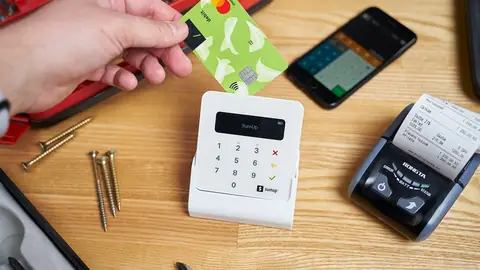
Small-shop consignment software typically runs from about $30 to $100 per month for a single location, with POS and inventory bundles landing around $60 to $150. Add hardware only if you need it — a scanner and receipt printer are often under $300 total, as covered in POS hardware on a budget.
Compare that to the cost of your time. If manual payout, reconciliation, and error fixing consume 10 hours a month and your time is worth $20 an hour, you are spending $200 a month on the spreadsheet. The switch usually pays for itself somewhere between 300 and 600 monthly transactions, or sooner if you pay staff to do the admin work.
| Monthly sales | Typical admin hours (spreadsheet) | Typical admin hours (software) | Error/rework risk | Usual verdict |
|---|---|---|---|---|
| Under 150 | 3–5 | 2–3 | Low | Spreadsheet is fine |
| 150–300 | 6–10 | 2–4 | Moderate | Borderline; switch if staff involved |
| 300–600 | 10–16 | 3–5 | Moderate to high | Software usually pays for itself |
| 600–1,200 | 16–25 | 4–7 | High | Switch; manual payouts dominate |
| 1,200+ | 25+ | 5–10 | High | Software required; consider multi-user |
Signs You Should Stay on Spreadsheets a Bit Longer
Not every shop should switch today. Under roughly 150 sales a month, with one person doing intake and payouts, a well-built spreadsheet is genuinely cheaper. The danger is staying too long out of habit rather than arithmetic.
Before switching, clean your data: consistent categories and a stable consignor numbering scheme make migration far easier. If your categories are a mess, fix them first with setting up inventory categories and a clear intake day workflow, then migrate once instead of twice.
- Fewer than 150 sales a month and one admin person
- No staff or partners need simultaneous access
- Your current file is clean, single, and reconciled weekly
- You have not yet standardized categories or consignor IDs
- Payout day stretching past 4 hours for under 300 sold items is the clearest switch signal.
- Multiple files that must agree, or duplicate sold items, mean the spreadsheet is already failing.
- Manual error rates of 2–5% of transactions usually cost more per month than a basic subscription.
- Under about 150 monthly sales with one admin person, a clean spreadsheet is still the cheaper choice.
Daniel covers point-of-sale hardware, barcode scanning and label printing for small retailers. He tests setups in real shop conditions and explains which features are worth paying for.