Processing Sales, Returns & Consignor Splits at the Register
By Karen Whitfield · Published · 5 min read

The register is where consignment gets complicated. A single sale can involve a consignor payout, a store commission, sales tax, and sometimes a return days later. Get the sequence right and the money adds up; get it wrong and you spend evenings reconciling payout reports by hand.
This chapter covers the full transaction flow: ringing a sale, applying store rules to returns, and calculating splits so that consignor statements match what actually left the till. It assumes you already have items tagged with barcodes and a POS that tracks consignor IDs.
Ringing a Consignment Sale: The Correct Sequence
Start by scanning the item barcode, not the consignor card. The barcode should carry the consignor ID, the price, and the intake date, so the POS can look up the split percentage automatically. If you scan the consignor card first, you risk assigning the wrong split to items from a different consignor with a similar name. Train staff to scan items first, then confirm the consignor name on screen before taking payment.
Apply any markdowns before tax. Most consignment shops use a time-based discount schedule (for example, 30 days full price, 60 days 20% off, 90 days 40% off). The POS should enforce the schedule by intake date, but a manual override happens in real life. When you override, record the reason in the sale note—this keeps the consignor statement defensible if they question the final price.
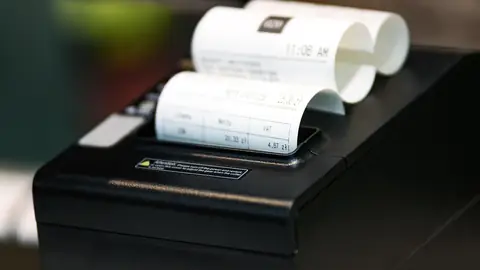
Take payment and print or email a receipt that shows the item price, discount, tax, and total. The consignor split does not need to appear on the customer receipt; it belongs on the consignor statement. Keeping customer receipts clean reduces confusion at the counter and protects the consignor's privacy.
- Scan item barcode before consignor card
- Confirm consignor name on screen
- Apply markdowns before tax
- Record manual overrides with a reason
Returns: Store Credit, Refunds, and Consignor Impact
Decide your return policy before you need it. Most consignment shops offer store credit within 7–14 days with tags attached, and no cash refunds. That policy is simpler to administer and protects the consignor, because a cash refund means the consignor's payout must be reversed. If you do allow cash refunds, restrict them to full-price items returned within 48 hours and require a manager override.
When a return happens, the POS should reverse the sale and adjust the consignor's pending balance automatically. If the item goes back to the floor, it re-enters inventory at the original price and intake date—do not reset the markdown clock, or you distort the consignor's expected payout. If the item is damaged or unsellable, mark it as returned-to-consignor and notify them according to your contract terms.
Store credit issued on a return should be tracked as a liability, not as revenue. A simple ledger column in your POS for outstanding store credit is enough for a small shop. Reconcile that balance monthly; unclaimed credit older than 12 months can often be written off under state unclaimed property rules, but check your local requirements.
- Store credit within 7–14 days, tags attached
- Cash refunds only with manager override
- Reverse consignor balance on return
- Do not reset the markdown clock
Calculating the Consignor Split Without Errors
The split percentage is the heart of the consignment relationship. Typical splits run 50/50 to 60/40 in the consignor's favor for clothing, and 60/40 to 70/30 for furniture or high-value items where the shop does less work. Whatever you choose, apply it consistently by category and record it on the intake form. For a deeper look at setting those percentages, see Consignment Split Percentages: How to Set Payouts That Work.
Calculate the split on the net sale price after discounts, not on the original ticketed price. If a $40 item sells for $28 after a 30% markdown, a 60/40 split gives the consignor $16.80, not $24. The POS should do this automatically, but verify on your first few transactions of each month. Rounding rules matter: round down to the nearest cent for the consignor, and keep the remainder in the store account to avoid penny drift.
Sales tax is never split. Tax collected belongs to the state, and the consignor's share is calculated on the pre-tax sale amount. If your POS applies tax after the split, you will overpay consignors and underpay tax—a costly error at audit time. Check your tax settings once per quarter.
- Split on net price after discounts
- Typical split: 50/50 to 60/40 consignor
- Round down to the cent for consignor
- Never split sales tax
Payout Statements and the Register Close
At close, run a payout report grouped by consignor. The report should show items sold, gross sales, discounts, net sales, split percentage, and amount owed. Compare the total owed against the cash and card tender for the day; they will not match exactly because the store keeps its commission, but the math should reconcile. A mismatch of more than a few dollars usually means a manual override or a return was mis-keyed.
Keep payout statements simple. One page per consignor with a period start and end date, a list of sold items, and a total. Consignors who see a clear line-item statement rarely dispute the amount. For the reporting numbers to watch weekly—sell-through, average days on floor, payout liability—see Reporting Basics: Which Inventory Numbers to Track Weekly.
Pay out on a fixed schedule, such as the first week of each month for the prior month's sales. Holding payouts longer than 30 days creates ill will and, in some states, legal exposure. If a consignor has a balance under a few dollars, carry it forward rather than writing a check; most contracts allow a minimum payout threshold.
- Run payout report by consignor at close
- Reconcile total owed vs. tender
- One-page statement per consignor
- Pay monthly on a fixed schedule
Hardware and Workflow at the Counter
A register that handles consignment needs a barcode scanner, a receipt printer, and a cash drawer—nothing exotic. But scanner quality matters more than you might expect, because consignment tags are often small, curved, or printed on thermal paper that fades. A scanner that reads 1D and 2D codes and handles damaged labels will save minutes per transaction. For buying advice, see Barcode Scanner Buying Guide for Secondhand Shops.
Label placement affects scan speed. Put the barcode on a flat, consistent part of the tag, not across a seam or fold. If you print labels in-house, use a template that includes the consignor ID and price in human-readable text below the barcode, so staff can key in the number if a scan fails. A practical checklist for label setup is at Barcode Labels for Consignment Shops: A Practical Setup Checklist.
Keep the counter clear of loose tags and returns. A small return bin and a “hold for consignor” shelf prevent returned items from being re-scanned by mistake. If your budget is tight, POS Hardware on a Budget: What You Actually Need covers which pieces to buy first.
- Scanner must read 1D and 2D codes
- Print human-readable text below barcode
- Use a return bin and hold shelf
- Keep counter clear of loose tags
| Scenario | Original price | Discount | Net sale | Consignor share (60%) | Store share (40%) |
|---|---|---|---|---|---|
| Full price, clothing | $40.00 | 0% | $40.00 | $24.00 | $16.00 |
| 30% markdown, clothing | $40.00 | 30% | $28.00 | $16.80 | $11.20 |
| 50% markdown, clothing | $40.00 | 50% | $20.00 | $12.00 | $8.00 |
| Full price, furniture | $200.00 | 0% | $200.00 | $120.00 | $80.00 |
| 20% markdown, furniture | $200.00 | 20% | $160.00 | $96.00 | $64.00 |
| Returned item, resold at 30% off | $40.00 | 30% | $28.00 | $16.80 | $11.20 |
- Scan item barcodes before consignor cards to avoid split errors.
- Calculate splits on net sale price after discounts, never on tax.
- Reverse consignor balances automatically on returns and keep the original markdown clock.
- Run a consignor payout report at every register close and pay on a fixed monthly schedule.
Karen writes about consignment retail operations and has spent years helping small resale shops organize inventory and payouts. She focuses on clear, practical workflows that work without expensive subscriptions.