Consignment POS Hardware: Printers, Scanners and Terminals
By Karen Whitfield · Published · Updated · 4 min read
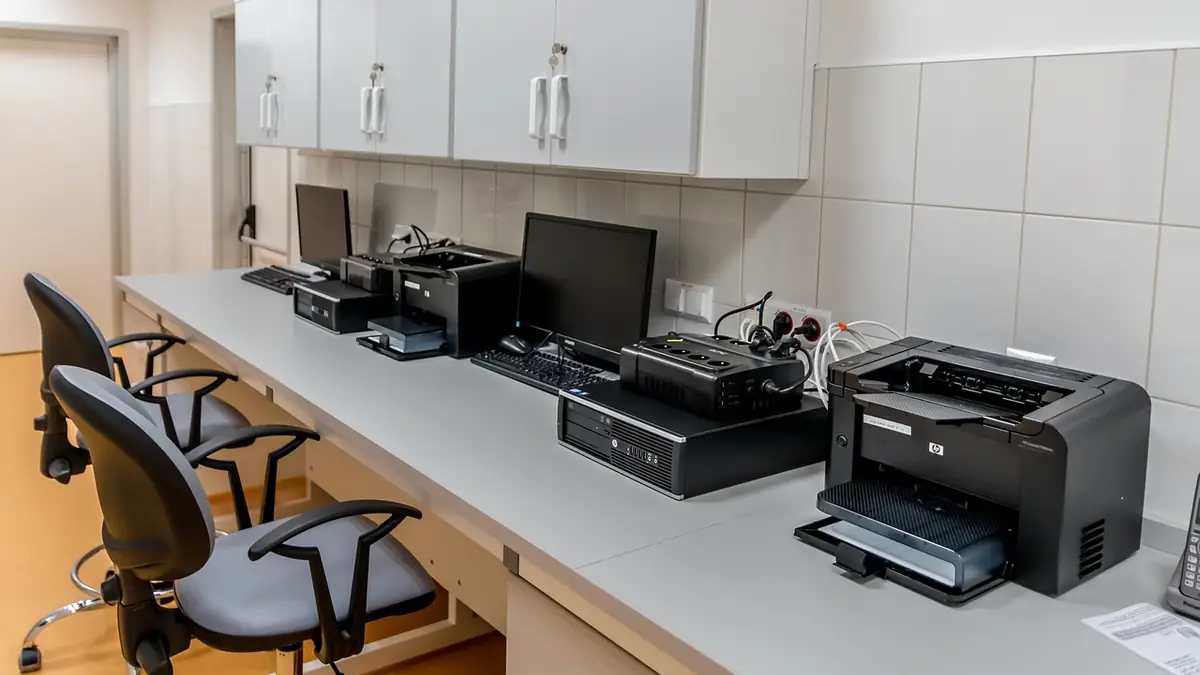
The hardware side of a consignment shop is less complicated than most vendors suggest. You need to print receipts, print price tags, scan barcodes at the counter, take payment and open a drawer. Everything beyond that is optional. This chapter covers the printers, scanners and terminals that work reliably with consignment point-of-sale software, what they cost, and how to set them up without calling a technician.
The guiding rule is to buy hardware your software already supports, then buy one spare of the part most likely to fail. In a resale shop the label printer is that part: it runs all day during intake and a dead one stops new inventory from reaching the floor. Receipt printers and scanners are cheap enough to keep a backup in a cupboard.
Receipt printers: thermal is the only sensible choice
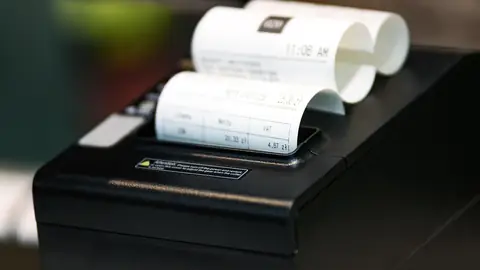
Nearly all consignment POS software sends receipts to an ESC/POS thermal printer over USB, Ethernet or Bluetooth. A 3-inch (80 mm) thermal model is the default; it prints a typical receipt in under two seconds and needs no ink. Expect to pay roughly $90 to $250 for a name-brand unit and $15 to $40 per box of 50 rolls of paper. Cheaper 2-inch models save desk space but make itemised receipts with several consignment lines hard to read.
Thermal paper fades with heat and light, so keep the archive copy away from sunny windows. If a customer needs a durable copy, email the receipt from the POS instead. Avoid inkjet receipt printers entirely: they jam, dry out and cost more per page. Ethernet models are worth the small premium when the counter has a network drop, because any terminal on the network can print to them.
- 3-inch thermal, ESC/POS compatible, USB or Ethernet
- Buy paper in 50-roll cases to cut per-receipt cost
- Keep one spare printer boxed for busy intake weekends
- Set auto-cut and a 2-second feed in the printer driver
Label printers and barcode tags
Consignment shops print two kinds of labels: small price tags for jewellery and accessories, and larger tags for garments that carry consignor number, price and date. A dedicated thermal label printer handles both and prints a tag in about a second. Budget $150 to $400 for the printer plus $20 to $60 per roll of labels, depending on size and adhesive.
The common mistake is buying a printer before choosing tag stock. Match the printer to the widest tag you will use and buy stock with a permanent adhesive that survives steam and handling. Test a roll of each tag size on real garments before committing to a case. If you are still deciding on tag layout and size codes, the practical setup steps in Barcode Labels for Consignment Shops: A Practical Setup Checklist will save you a reprint cycle.
Barcode scanners: wired beats wireless at the counter
A USB barcode scanner presents itself to the computer as a keyboard, so it works with any POS software without drivers. A reliable corded scanner costs $40 to $120; cordless models run $120 to $300 and need charging discipline at the counter. For a single register, corded is faster to set up and never runs out of battery mid-queue.
Scanner quality matters less than label quality. A basic scanner reads a clean thermal label instantly but struggles with crumpled, faded or partly covered tags. Set scanners to send a carriage return after each scan so the POS moves to the next field automatically. Keep a second scanner plugged in and tested: it is the cheapest insurance against a dead counter during a Saturday rush.
- USB keyboard-wedge scanner, no drivers needed
- Enable a carriage-return suffix in the scanner settings
- Test reads on tags that have been worn for a week
- Keep a spare scanner at the second terminal
Terminals, tablets and cash drawers
Most small shops run the POS on a Windows mini-PC ($300 to $600) or a tablet with a stand ($200 to $500 plus the tablet). A tablet is fine for a single counter but limits you if you later add a second register or an intake station in the back room. Whichever you choose, get 8 GB of RAM and a wired network connection where possible.
Cash drawers connect to the receipt printer, not the computer, and open on command from the POS. A basic drawer costs $80 to $200. Card readers are usually supplied by your payment provider and plug into USB or pair over Bluetooth; confirm the model is supported by your software before signing a contract. For a fuller breakdown of what to buy first, see POS Hardware on a Budget: What You Actually Need.
Network, power and cable discipline
Put the router, receipt printer and terminals on one surge-protected strip, and label every cable at both ends. A small UPS ($60 to $150) keeps the POS alive through short outages and prevents corrupt transactions during brownouts. Use a separate guest Wi-Fi network for customers so card traffic and inventory syncing are not competing with phones.
If you run two registers, connect both to the same database over the local network rather than syncing between machines. Wired Ethernet is more stable than Wi-Fi for the main register; reserve wireless for tablets used on the floor. Document the setup with photos of the back of each device, because the person who fixes it next may not be you.
Buying used and keeping spares
Receipt printers, scanners and cash drawers are good candidates for used purchase because they are mechanically simple and widely supported. Label printers are riskier: print heads wear out and replacements can cost half the price of a new unit. Check the print head on any used label printer and ask for the page count if the seller has it.
Set a simple replacement rule: any device that stops the counter for more than an hour should have a spare on the shelf. In practice that means one spare receipt printer and one spare scanner for a single-register shop, and a spare label printer once volume justifies it. Review your hardware list each year against what the software actually uses.
| Device | Typical price | Replacement cycle | Spare worth keeping |
|---|---|---|---|
| 3-inch thermal receipt printer | $90–$250 | 3–5 years | Yes |
| Thermal label printer | $150–$400 | 2–4 years | Once volume is high |
| USB barcode scanner | $40–$120 | 3–6 years | Yes |
| Cash drawer | $80–$200 | 5–10 years | No |
| POS mini-PC or tablet | $200–$600 | 3–5 years | No |
| UPS and surge strip | $60–$150 | 3–5 years | No |
- Buy ESC/POS thermal printers and USB keyboard-wedge scanners; they work with nearly all consignment POS software.
- Choose tag stock before buying a label printer, and test a roll on real garments.
- Keep a spare receipt printer and scanner on the shelf; they are the failures that stop a counter.
- A small UPS and labelled cables prevent more downtime than a faster computer.
Karen writes about consignment retail operations and has spent years helping small resale shops organize inventory and payouts. She focuses on clear, practical workflows that work without expensive subscriptions.